> For the complete documentation index, see [llms.txt](https://docs.ave.ai/llms.txt). Markdown versions of documentation pages are available by appending `.md` to page URLs; this page is available as [Markdown](https://docs.ave.ai/ave.ai-telegram-bot/ave-buy-bot.md).
# Ave Buy Bot
Ave.ai token buy bot for telegram community
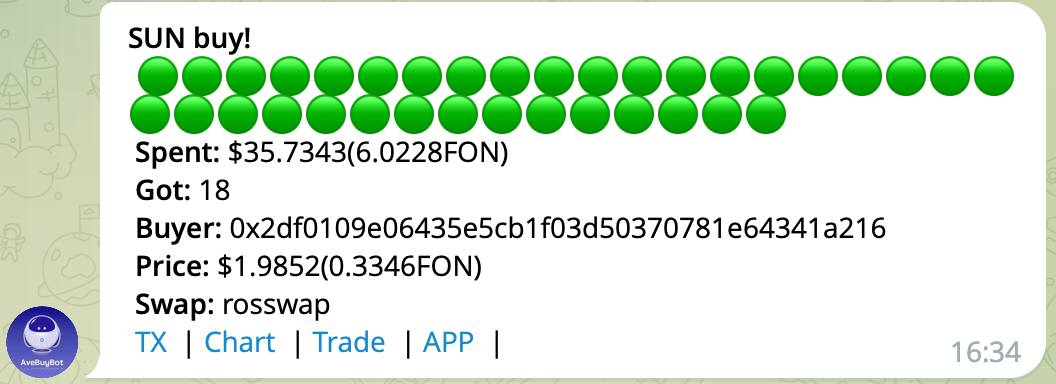
[**@AveaiBuyBot**](https://t.me/aveaibuybot) is a telegram buy transaction broadcast bot, which is supported the following chain now.
* [x] BSC
* [x] FSC
* [x] ETH
* [x] Heco
* [x] OKC
* [x] TX
* [x] Polygon
### How to use AveBuyBot?
Step1:search [**@AveaiBuyBot**](https://t.me/aveaibuybot) in telegram, add the bot to your telegram group or channel, and set [**@AveaiBuyBot**](https://t.me/aveaibuybot) as a administrator.

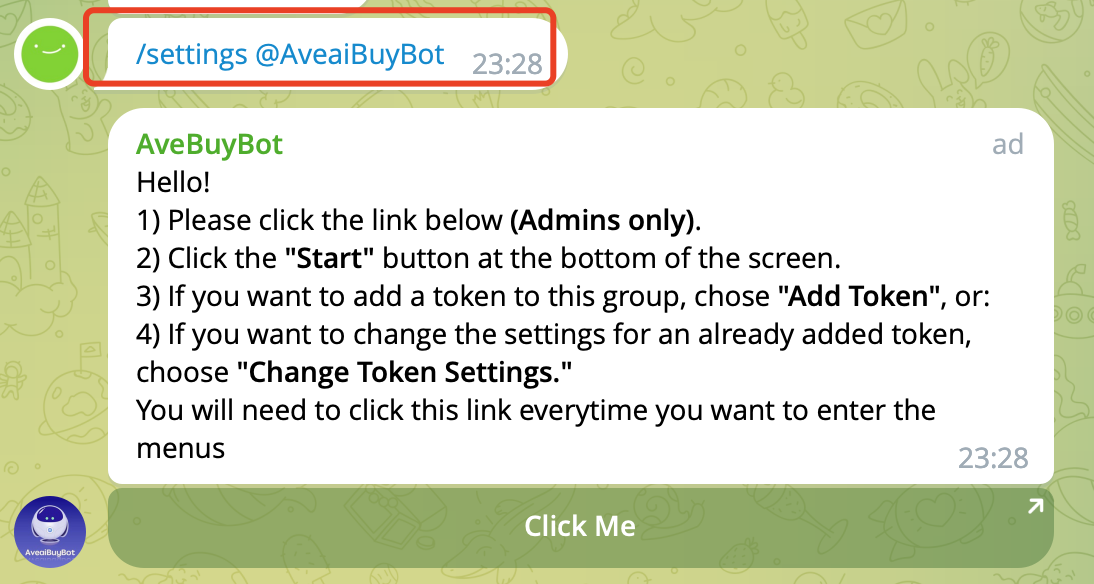
Step2:send "**/settings @AveaiBuyBot**" in group, wait for robot response, and click the 【click me】 button, and click the 【Add a New Token】 button, follow the action with Bot response.


You need choose the target pair, and the buy transaction occurred in this pair will be broadcast.
Click【finish】button, the bot is already started work. Of course, you can also make your robot more personalized,just follow the next step.
Step3:more settings, follow the action with Bot response.

Also you can join our telegram group for help [**@aveai\_english**](https://t.me/aveai_english)
 * [x] BSC
* [x] FSC
* [x] ETH
* [x] Heco
* [x] OKC
* [x] TX
* [x] Polygon
### How to use AveBuyBot?
Step1:search [**@AveaiBuyBot**](https://t.me/aveaibuybot) in telegram, add the bot to your telegram group or channel, and set [**@AveaiBuyBot**](https://t.me/aveaibuybot) as a administrator.

Step2:send "**/settings @AveaiBuyBot**" in group, wait for robot response, and click the 【click me】 button, and click the 【Add a New Token】 button, follow the action with Bot response.
* [x] BSC
* [x] FSC
* [x] ETH
* [x] Heco
* [x] OKC
* [x] TX
* [x] Polygon
### How to use AveBuyBot?
Step1:search [**@AveaiBuyBot**](https://t.me/aveaibuybot) in telegram, add the bot to your telegram group or channel, and set [**@AveaiBuyBot**](https://t.me/aveaibuybot) as a administrator.

Step2:send "**/settings @AveaiBuyBot**" in group, wait for robot response, and click the 【click me】 button, and click the 【Add a New Token】 button, follow the action with Bot response.